







Ford Tractor Clutch Kit: Single & Dual Stage Models
Understanding Ford tractor clutches is vital for maintaining peak performance. This guide covers single and dual-stage clutches, troubleshooting, replacement tips, and how to choose the right clutch kit for your Ford or New Holland tractor.
Your Ford tractor's clutch is a critical component, responsible for smoothly transferring power from the engine to the transmission and, in many cases, the PTO (Power Take-Off). Whether you're operating a vintage Ford 8N or a newer New Holland model, a properly functioning clutch is essential for efficient and safe operation. At Madison Tractor Company, we understand the importance of keeping your tractor in top condition, and that starts with reliable parts.
Recommended Parts for This Guide
3 parts we recommend — in stock, ships fast, one-click add to cart.
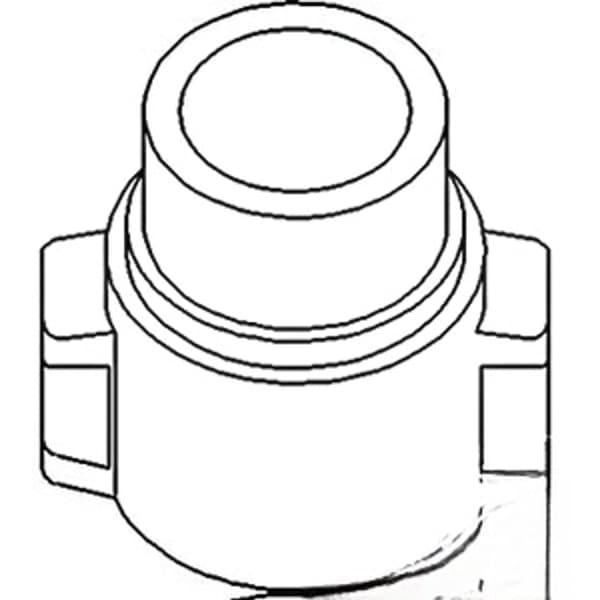
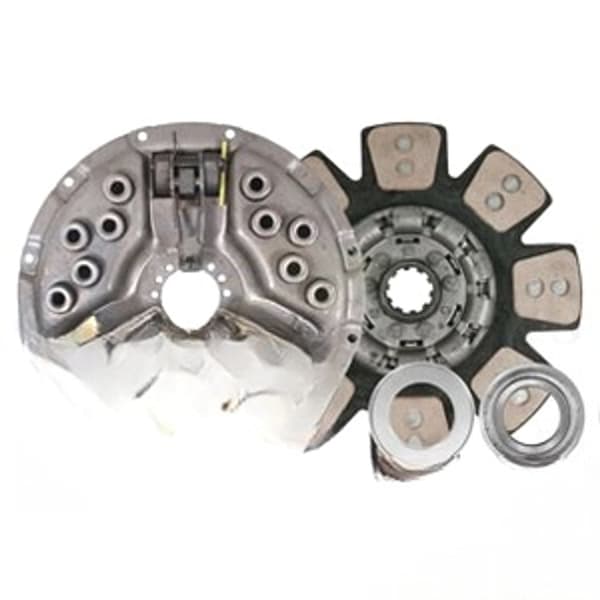
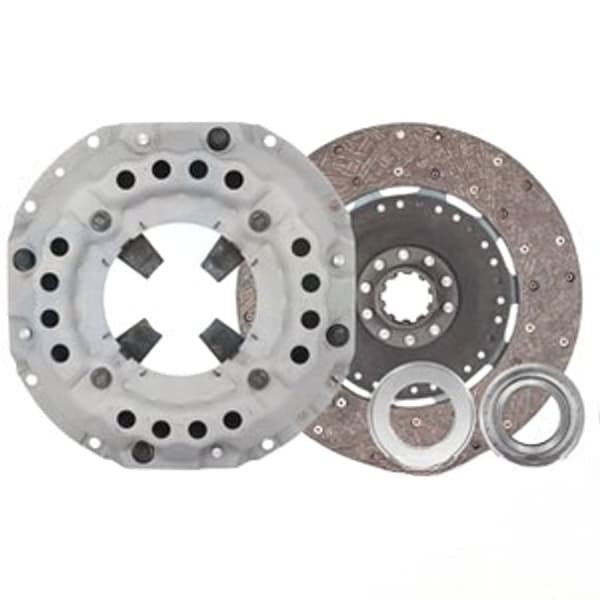
🔍 Looking for a specific part? Try our AI Part Finder — tell it your equipment and what you need, and it will find matching parts instantly.
This guide will walk you through everything you need to know about Ford tractor clutches, including single-stage and dual-stage systems, common problems, replacement procedures, and how to select the right clutch kit. We proudly offer clutch kits for Ford and New Holland tractors from leading brands, ensuring you get the quality and performance you expect. And remember, when you need more information on related components, check out our article on Tractor PTO Clutch Pack: Independent PTO Repair.
Single vs. Dual-Stage Ford Tractor Clutches
Ford tractors utilize both single-stage and dual-stage clutch systems. Understanding the difference is crucial for diagnosis and repair.
Single-Stage Clutches
A single-stage clutch controls both the tractor's transmission and the PTO simultaneously. Pressing the clutch pedal disengages both, stopping the tractor's movement and the PTO-driven implement. These are simpler in design and generally found on older or smaller Ford tractor models.
Dual-Stage (Live) Clutches
Dual-stage clutches, also known as “live” clutches, offer independent control of the transmission and PTO. Pressing the clutch pedal halfway disengages the transmission, allowing you to stop the tractor while the PTO continues to operate – vital for running implements like mowers or balers without interruption. Pressing the pedal fully disengages both the transmission and the PTO. This system uses two separate clutch discs and pressure plates.
Identifying Your Clutch Type: Consult your Ford tractor's service manual to confirm which type of clutch system is installed. If you're unsure, a visual inspection can often reveal the difference. Dual-stage clutches typically have more complex linkage and adjustment mechanisms.
Common Ford Tractor Clutch Problems
Several issues can plague Ford tractor clutches. Recognizing the symptoms can help you diagnose the problem quickly.
- Clutch Slippage: The engine revs up, but the tractor doesn't accelerate properly, or the PTO slows down under load. This is often due to worn clutch discs or a weak pressure plate.
- Clutch Drag: The clutch fails to fully disengage, making it difficult to shift gears or stop the tractor smoothly. This can be caused by a warped clutch disc, sticking pilot bearing, or improper clutch linkage adjustment.
- Clutch Chatter: The clutch engages and disengages erratically, causing jerky movement. This can be due to contamination on the clutch disc, worn friction material, or a damaged pressure plate.
- Hard Pedal: Excessive effort is required to depress the clutch pedal. This could indicate binding linkage, a worn throw-out bearing, or a failing pressure plate.
- Noise: Unusual noises, such as grinding or squealing, can indicate a worn throw-out bearing, pilot bearing, or damaged clutch components.
If you're experiencing any of these problems, it's crucial to address them promptly to prevent further damage to your tractor's drivetrain. If you suspect a worn throw out bearing, review our Tractor Throw Out Bearing (Release Bearing) Replacement guide.
Diagnosing Ford Tractor Clutch Issues
Before replacing the clutch, a thorough diagnosis is essential. Here's a step-by-step approach:
- Check Clutch Linkage: Inspect the linkage for wear, damage, or improper adjustment. Ensure all pivot points are lubricated and move freely. Refer to your tractor's service manual for the correct free play specifications. See our article on Tractor Clutch Adjustment: Free Play & Linkage Setup for detailed instructions.
- Inspect Clutch Pedal Travel: Measure the clutch pedal travel to ensure it meets the manufacturer's specifications. Insufficient travel can prevent full clutch disengagement.
- Listen for Noises: Pay close attention to any unusual noises when engaging or disengaging the clutch. Note when the noise occurs (pedal up, pedal down, etc.) to help pinpoint the source.
- Perform a Stall Test: With the tractor in a high gear and the brakes applied, slowly release the clutch. The engine should stall relatively quickly. If the engine continues to run or stalls slowly, the clutch is likely slipping.
- Check for Contamination: Inspect the clutch housing for signs of oil or grease leaks, which can contaminate the clutch disc and cause slippage.
Ford tractor clutch kit Selection
Choosing the right clutch kit is critical for ensuring proper performance and longevity. At Madison Tractor Company, we offer a wide selection of clutch kits for various Ford and New Holland tractor models, including those from brands like John Deere, Case IH, Massey Ferguson, Kubota, Allis Chalmers, Deutz, International Harvester, Oliver, White, Gleaner, Vermeer, Hesston, Mahindra, and Zetor. Here's what to consider when selecting a kit:
- Tractor Model and Year: The most important factor is to ensure the kit is specifically designed for your tractor model and year. Refer to your tractor's serial number to confirm compatibility.
- Clutch Type: Determine whether you need a single-stage or dual-stage clutch kit. Using the wrong type will result in improper operation.
- Kit Contents: A complete clutch kit should include the clutch disc(s), pressure plate, throw-out bearing, pilot bearing (or bushing), and alignment tool. Some kits may also include additional hardware, such as bolts and springs.
- Quality and Brand: Opt for a reputable brand known for producing high-quality clutch components. At Madison Tractor, we carry trusted brands that meet or exceed OEM specifications.
Example Part Numbers: While specific part numbers vary depending on the model, some common examples include:
- Ford 8N Single-Stage Clutch Kit: CLK100 - Clutch Kit: 9", Pressure Plate, Trans Disc, Release Bearing, Pilot Bearing
- Ford 3000 Dual-Stage Clutch Kit: This kit would include two clutch discs (one for the transmission, one for the PTO), a dual-stage pressure plate, and related bearings.
Ford Tractor Clutch Replacement Guide (Simplified)
Disclaimer: Clutch replacement is a complex task that requires mechanical expertise. If you're not comfortable performing this work yourself, consult a qualified mechanic. Always refer to your tractor's service manual for specific instructions and safety precautions.
Safety First! Disconnect the battery and securely support the tractor before starting any repairs. Use jack stands rated for the tractor's weight.
- Separate the Tractor: This usually involves splitting the tractor between the engine and transmission. Consult your service manual for the proper procedure.
- Remove the Old Clutch: Carefully remove the old pressure plate, clutch disc(s), and throw-out bearing. Inspect the flywheel for wear or damage and resurface if necessary.
- Install the New Clutch: Use the alignment tool to center the clutch disc(s) on the pilot bearing. Install the new pressure plate and tighten the bolts to the specified torque (refer to your service manual – typically around 35-45 ft-lbs). Install the new throw-out bearing.
- Reassemble the Tractor: Carefully align and reassemble the tractor halves. Ensure all bolts are properly tightened.
- Adjust the Clutch Linkage: Adjust the clutch linkage according to your tractor's service manual specifications. Proper adjustment is critical for smooth clutch operation.
Torque Specifications: Always consult your Ford tractor's service manual for precise torque specifications for all bolts and fasteners related to the clutch assembly.
Ford tractor clutch adjustment
After replacing the clutch or if you're experiencing clutch problems, proper adjustment is essential. Here's a general overview, but always refer to your service manual for specific instructions:
- Adjust Clutch Pedal Free Play: Adjust the linkage to achieve the correct amount of free play in the clutch pedal. This allows the throw-out bearing to properly engage and disengage the clutch.
- Adjust PTO clutch (Dual-Stage): On dual-stage clutches, you'll need to adjust the PTO clutch separately to ensure proper operation. This usually involves adjusting linkage rods or levers.
Improper clutch adjustment can lead to clutch slippage, drag, or premature wear. Take the time to adjust the clutch correctly for optimal performance and longevity.
Shop Ford Tractor Clutch Kits & Parts at Madison Tractor Company
At Madison Tractor Company, we're committed to providing you with the highest quality parts and expert advice to keep your Ford or New Holland tractor running smoothly. Whether you need a complete clutch kit, a replacement throw-out bearing, or any other Ford tractor parts like radiators, water pumps, starters, alternators, hydraulic pumps, cylinders, PTO parts, fuel pumps, carburetors, injectors, filters, gaskets, pistons, bearings, seals, belts, chains, concaves, or sickle sections, we've got you covered. Browse our extensive online catalog or contact our knowledgeable team today to find the right parts for your needs. Don't forget to check out our other helpful guides, such as John Deere Tractor Clutch Kit: Disc, Pressure Plate & Bearing, Case IH Tractor Clutch Kit: All Models & Farmall, Massey Ferguson Clutch Kit: Models 35 to 399, and Kubota Tractor Clutch Kit: B, L & M Series, for more information on tractor maintenance and repair.
🔍 Can't Find Your Part?
Use our AI-Powered Part Finder to search by your equipment's make, model, and what you need. It's the fastest way to find the exact part for your machine.
Try the Part Finder →Part of our comprehensive guide
Tractor Clutch Replacement Guide: Kits, Adjustment & Installation