








Toro Ignition Switch: TimeCutter Key Switch
Having trouble starting your Toro lawn mower or zero turn? A faulty ignition switch could be the culprit. This guide walks you through troubleshooting and replacing your Toro ignition switch.
The ignition switch, also known as the key switch, is a crucial component in your Toro lawn mower or zero turn. It's the gateway that allows electricity to flow to the starter and other essential systems. When it fails, your machine won't start, leaving you with a frustrating situation. This guide will help you troubleshoot, test, and replace your Toro ignition switch, keeping your equipment running smoothly. We carry a wide selection of ignition switches for various Toro models, including TimeCutter zero turns and walk-behind mowers.
Recommended Parts for This Guide
5 parts we recommend — in stock, ships fast, one-click add to cart.
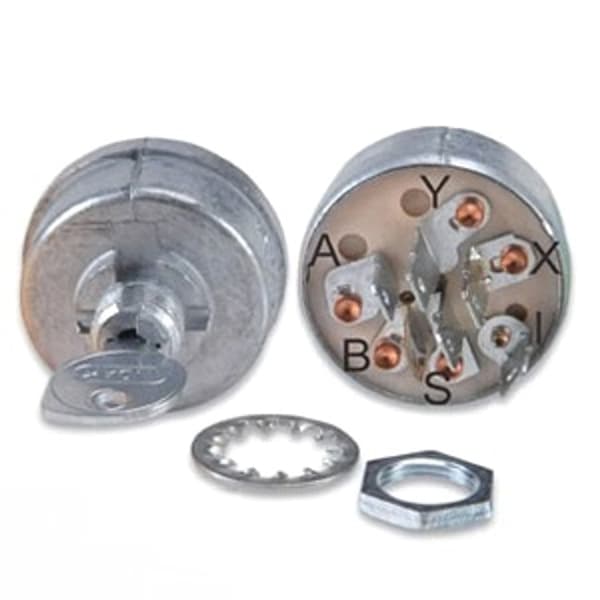
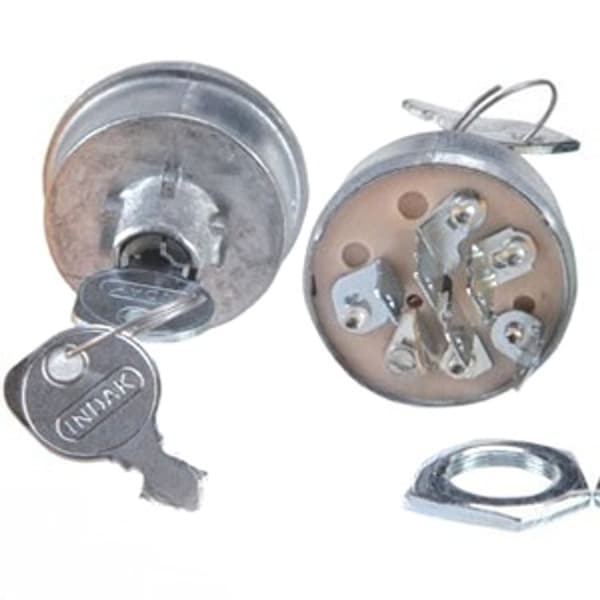
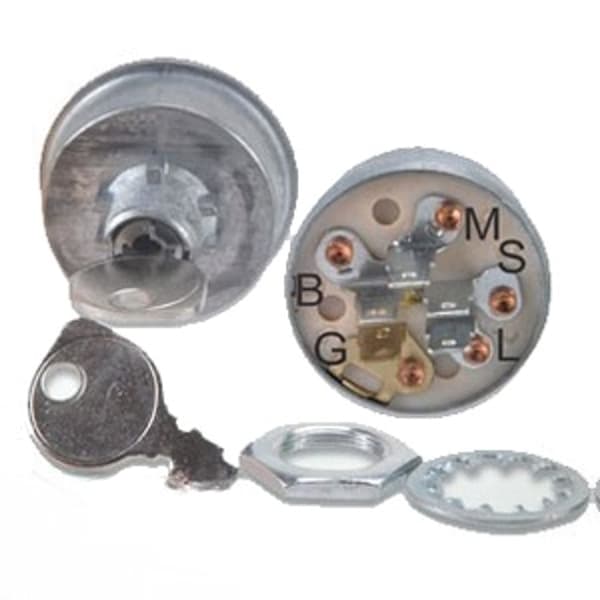
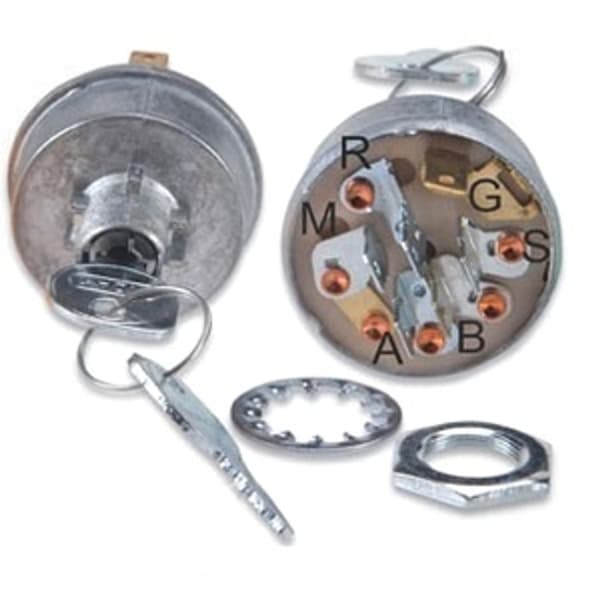
🔍 Looking for a specific part? Try our AI Part Finder — tell it your equipment and what you need, and it will find matching parts instantly.
Understanding Your Toro ignition switch
The ignition switch acts as a central control point. When you insert and turn the key, it completes an electrical circuit. This circuit then activates the riding mower starter, which cranks the engine. The switch also connects power to other essential systems, such as the fuel solenoid and safety interlocks.
Toro ignition switches, like those from other brands such as John Deere, Craftsman, Cub Cadet, Husqvarna, Ariens, Murray, Hustler, Scag, Exmark, Ferris, Snapper, Simplicity, and Dixie Chopper, are designed with multiple positions:
- Off: No power is supplied to any system.
- Run: Power is supplied to the engine and other systems needed for operation.
- Start: Power is supplied to the starter motor to crank the engine. This position is usually spring-loaded, returning to the 'Run' position once the key is released.
Common Symptoms of a Faulty Toro Ignition Switch
Recognizing the symptoms of a failing ignition switch is the first step in diagnosing the problem. Here are some common signs:
- No Start: The most obvious symptom. You turn the key, and nothing happens. No clicking, no cranking, just silence.
- Intermittent Starting: The mower starts sometimes, but not others. This can indicate a loose connection or worn contacts within the switch.
- Engine Dies Suddenly: The engine starts and runs, but then dies without warning. A faulty ignition switch can interrupt the power supply.
- Clicking Sound: You hear a clicking sound when you turn the key, but the engine doesn't crank. This could indicate a problem with the riding mower solenoid, but the ignition switch could be the root cause.
- Burning Smell: A burning smell coming from the ignition switch area is a serious warning sign. It indicates a short circuit or overheating, and you should immediately disconnect the battery.
Troubleshooting Your Toro Ignition Switch
Before replacing the ignition switch, perform some basic troubleshooting steps to rule out other potential issues:
- Check the Battery: Ensure the battery is fully charged and in good condition. A weak battery can mimic the symptoms of a faulty ignition switch. Consider load testing the battery, or try jumping it with a known good battery. See our article on riding mower batteries for more details on battery types and sizes.
- Inspect the Wiring: Check the wiring harness connected to the ignition switch for any loose connections, corrosion, or damaged wires. Clean and tighten any loose connections.
- Examine the Fuses: Many Toro mowers have fuses that protect the electrical system. Check the fuses related to the ignition system and replace any that are blown.
- Safety Interlock Switches: Toro mowers have safety interlock switches that prevent starting unless certain conditions are met (e.g., operator in the seat, blades disengaged). Check the lawn mower seat safety switch, mower PTO switch (blade engagement switch), and any other relevant safety switches. A faulty safety switch can prevent the ignition switch from working correctly.
Testing the Ignition Switch with a Multimeter
A multimeter is an essential tool for testing the continuity of the ignition switch. Here's how to use it:
- Disconnect the Battery: Safety First! Disconnect the negative battery cable before working on the electrical system.
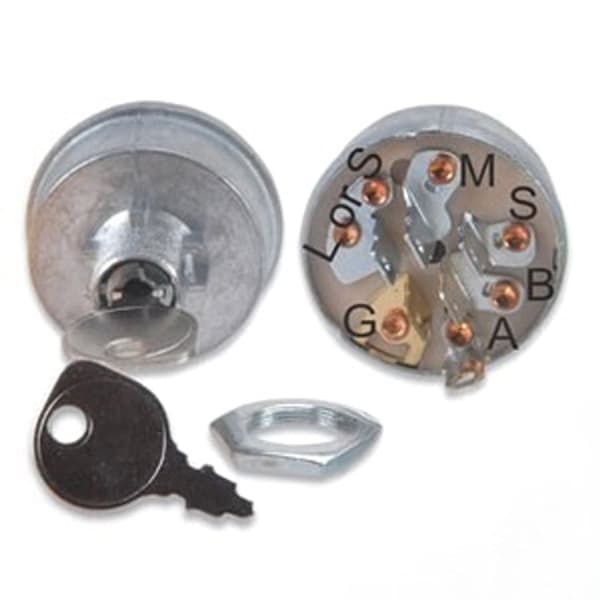
- Locate the Ignition Switch Terminals: Identify the terminals on the back of the ignition switch. A wiring diagram (often found in the owner's manual) can be helpful. Common terminals include battery (B), ignition (I), starter (S), and accessory (A).
- Set the Multimeter to Continuity Mode: Turn the multimeter to the continuity setting (usually indicated by a diode symbol or a sound wave symbol).
- Test Each Position: Place one probe of the multimeter on the battery (B) terminal and the other probe on each of the other terminals (I, S, A) in turn.
- Off Position: No continuity should be present between any terminals.
- Run Position: Continuity should exist between the battery (B) terminal and the ignition (I) terminal.
- Start Position: Continuity should exist between the battery (B) terminal and the starter (S) terminal.
- Accessory Position (if applicable): Continuity should exist between the battery (B) terminal and the accessory (A) terminal.
- Interpreting the Results: If you don't get continuity in the correct positions, or if you get continuity when there shouldn't be any, the ignition switch is likely faulty and needs to be replaced.
Replacing Your Toro Ignition Switch
Once you've confirmed that the ignition switch is faulty, replacement is usually a straightforward process:
- Disconnect the Battery: Again, safety first! Disconnect the negative battery cable.
- Remove the old ignition switch: The ignition switch is typically held in place by a nut or retaining clip. Remove the nut or clip to release the switch from the dashboard or control panel.
- Disconnect the Wiring: Carefully disconnect the wires from the back of the old ignition switch. It's helpful to take a picture or label the wires before disconnecting them to ensure proper reassembly.
- Install the New Ignition Switch: Connect the wires to the corresponding terminals on the new ignition switch. Refer to your picture or wiring diagram to ensure correct connections.
- Secure the New Switch: Insert the new ignition switch into the dashboard or control panel and secure it with the nut or retaining clip.
- Reconnect the Battery: Reconnect the negative battery cable.
- Test the New Switch: Turn the key to each position and ensure the mower starts and operates correctly.
If your lawn mower ignition coil is damaged, this can also prevent your Toro from starting. It is wise to inspect the ignition coil for damage during any electrical repair.
Finding the Right Toro Ignition Switch at Madison Tractor
Madison Tractor Company carries a wide variety of Toro ignition switches for various models. We stock replacement switches for Toro TimeCutter zero turn mowers, walk-behind mowers, and other Toro equipment. Finding the correct part is easy on our website. Simply search by part number, model number, or keyword. We also offer helpful product filters to narrow your search.
In addition to ignition switches, we also carry a comprehensive selection of other parts for your Toro mower, including belts, blades, spindles, pulleys, filters, spark plugs, bearings, and shear pins.
Remember to consult your owner's manual for specific instructions and safety precautions related to your Toro model.
And don't forget other important electrical parts such as the riding mower voltage regulator.
Shop Toro Ignition Switches at Madison Tractor
Don't let a faulty ignition switch keep you from getting your lawn work done. Browse our extensive selection of Toro ignition switches and other replacement parts at Madison Tractor Company. We offer competitive prices, fast shipping, and expert customer support to help you find the right parts for your needs. Shop Toro Parts Today!
🔍 Can't Find Your Part?
Use our AI-Powered Part Finder to search by your equipment's make, model, and what you need. It's the fastest way to find the exact part for your machine.
Try the Part Finder →Part of our comprehensive guide
Mower Electrical Parts Guide: Starters, Solenoids, Switches & More