








John Deere X Series Belt: X300, X320, X350, X500
Maintaining your John Deere X Series mower requires knowing your belts. This guide covers common belt issues, part numbers, and replacement tips for X300, X320, X350, and X500 models.
The John Deere X Series is a popular line of riding mowers known for their reliability and performance. Models like the X300, X320, X350, and X500 are common in residential and light commercial settings. A key component to keeping these machines running smoothly is a well-maintained belt system. This guide will walk you through everything you need to know about John Deere X Series belts, focusing on the X300, X320, X350, and X500 models.
Recommended Parts for This Guide
5 parts we recommend — in stock, ships fast, one-click add to cart.
🔍 Looking for a specific part? Try our AI Part Finder — tell it your equipment and what you need, and it will find matching parts instantly.
Understanding Your John Deere X Series Belts
Your John Deere X Series mower uses several belts to operate. These include:
- Mower Deck Belt: This belt powers the blades on the mower deck.
- Drive Belt (Transmission Belt): This belt connects the engine to the transmission, allowing the mower to move. Drive belt issues can lead to the mower not moving, moving slowly, or jerky operation. Find more about these on our guide to John Deere Drive Belt: Transmission Belt Part Numbers.
The specific belt configuration and part numbers can vary slightly depending on the exact sub-model and year of your X Series mower, so always double-check your owner's manual.
Common Belt Problems and Symptoms
Belts are wear items and will eventually need replacement. Here are some common problems and symptoms to watch out for:
- Slipping: A squealing noise when engaging the mower deck or driving uphill can indicate a slipping belt. This is often due to wear or improper tension.
- Cracking or Fraying: Visible cracks or fraying along the belt's surface are signs of aging and indicate that replacement is needed soon.
- Stretching: Over time, belts can stretch, reducing their ability to properly transfer power. A stretched mower deck belt will cause uneven cutting, while a stretched drive belt will cause sluggish movement.
- Breaks: A completely broken belt will, obviously, render the mower deck or drive system inoperable.
- Burned Belts: Can result from debris obstructing pulleys or improper belt installation/routing.
Identifying the Correct Belt
Finding the right belt is crucial. Using the wrong belt size or type can lead to poor performance and premature wear. Here's how to identify the correct belt for your John Deere X Series mower:
- Consult Your Owner's Manual: This is the best source of information. Your manual will list the correct part numbers for both the mower deck belt and the drive belt.
- Check the Belt Itself: Many belts have the part number printed directly on them. Look closely for a series of numbers and letters.
- Use Online Parts Lookups: John Deere's website and many online parts retailers (like us!) have parts lookup tools. You'll typically need to enter your mower's model number to find the correct belts.
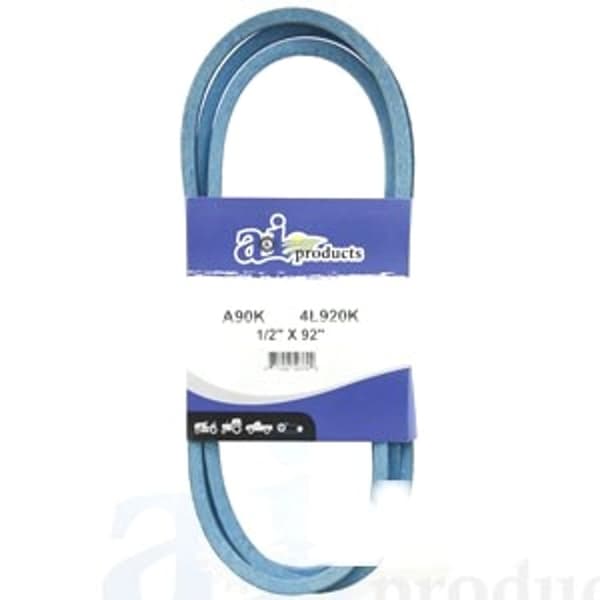
- Measure the Belt (as a Last Resort): If you can't find the part number, you can measure the belt's length and width. However, this is less accurate, as a worn belt may have stretched. Use this measurement in conjunction with the belt's cross-section to find a compatible replacement. For general replacements, we offer a range of A-section Aramid V-belts like the A90K (1/2" X 92") and Classical V-belts such as the A88 (1/2" X 90") or the A90 (1/2" X 92").
Common John Deere X Series Belt Part Numbers (Examples - always verify with your specific model):
- X300 Mower Deck Belt (42-inch deck): M154621
- X320 Mower Deck Belt (48-inch deck): M154958
- X350 Mower Deck Belt (42-inch deck): M154621 (often the same as X300)
- X500 Mower Deck Belt (48-inch deck): M154958 (often the same as X320)
- X300/X320/X350/X500 Drive Belt: M110313
Remember to always double-check these part numbers against your specific mower model and deck size.
Belt Replacement Process
Replacing a belt on your John Deere X Series mower is a relatively straightforward task. However, safety should always be your top priority. Here's a general guide:
Safety First!
- Disconnect the spark plug wire: This prevents accidental starting of the engine.
- Wear gloves: Protect your hands from sharp edges and grease.
- Use jack stands: If you need to lift the mower, always use jack stands for support. Never work under a mower supported only by a jack.
Mower Deck Belt Replacement:
- Remove the mower deck: Follow the instructions in your owner's manual for removing the deck. This usually involves disconnecting the lift links and belt.
- Note the belt routing: Before removing the old belt, take a picture or make a diagram of how it's routed around the pulleys and spindles. This will be helpful when installing the new belt.
- Remove the old belt: Loosen the tension on the idler pulley (usually with a wrench or socket) and slip the old belt off.
- Install the new belt: Route the new belt according to your diagram or picture, making sure it's properly seated in all the pulley grooves.
- Tension the belt: Tighten the idler pulley to apply the correct tension. The belt should be snug but not overly tight.
- Reinstall the mower deck: Follow the reverse of the removal process.
- Test the mower: Before using the mower, engage the deck in a safe, open area and check for any unusual noises or vibrations.
Drive Belt Replacement:
- Access the drive belt: This usually involves removing the mower deck and possibly some shielding. Refer to your owner's manual for specific instructions.
- Note the belt routing: As with the mower deck belt, make a diagram or take a picture of the belt routing.
- Remove the old belt: Loosen the tension on the idler pulley (or pulleys) and slip the old belt off. This can be more challenging than the deck belt, as the drive belt is often routed through tight spaces.
- Install the new belt: Route the new belt according to your diagram, making sure it's properly seated in all the pulley grooves. This may require some patience and maneuvering.
- Tension the belt: Tighten the idler pulley(s) to apply the correct tension. The drive belt should be snug but not overly tight.
- Reinstall any shielding and the mower deck.
- Test the mower: Before using the mower, drive it in a safe, open area and check for smooth operation.
Tips for Belt Longevity
Here are some tips to help extend the life of your John Deere X Series belts:
- Keep the mower deck clean: Remove grass clippings and debris regularly. Buildup can cause the belt to overheat and wear prematurely.
- Check belt tension regularly: A loose belt will slip and wear quickly, while an overly tight belt can put excessive stress on the pulleys and bearings.
- Inspect pulleys and spindles: Make sure the pulleys are clean, smooth, and free of damage. Replace worn or damaged pulleys and spindles as needed.
- Avoid obstacles: Be careful not to run over sticks, rocks, or other debris that could damage the belt.
- Store your mower properly: When storing your mower for the winter, release the tension on the belts to prevent them from stretching.
- Use quality replacement parts: Investing in high-quality belts, such as an Aramid Blue V-Belt, will pay off in the long run with better performance and longer life.
In addition to belts, remember to inspect and replace other wear items on your John Deere mower, such as blades, spindles, pulleys, filters, and spark plugs. Regular maintenance will keep your mower running smoothly for years to come.
We also carry parts for other brands like Craftsman, Cub Cadet (see our article on Cub Cadet LT1045 Belt Size & Replacement Guide for a model-specific guide), Husqvarna (and our Husqvarna Mower Belt Size Chart), Toro (including Toro TimeCutter Belt Replacement: Deck & Drive Belts), Ariens, Murray, Hustler, Scag, Exmark, Ferris, Snapper, Simplicity, and Dixie Chopper.
Conclusion
Replacing the belts on your John Deere X Series mower is a manageable task that can save you money and keep your machine running smoothly. By following the tips and instructions in this guide, you can ensure that you're using the right belts and installing them correctly. Remember to prioritize safety and consult your owner's manual for specific instructions for your model.
And as always, proper maintenance goes beyond just belts. Checking your oil, replacing air filters, and sharpening or replacing your mower blades are all important parts of keeping your John Deere running at peak performance. Also, don't forget to maintain your Craftsman 42 inch mower belt if you have one!
Shop John Deere Parts at Madison Tractor
Need a new belt for your John Deere X300, X320, X350, or X500? Madison Tractor Company has you covered. We offer a wide selection of high-quality belts and other replacement parts for John Deere and many other brands. Browse our John Deere parts catalog today and get your mower back in top shape!
🔍 Can't Find Your Part?
Use our AI-Powered Part Finder to search by your equipment's make, model, and what you need. It's the fastest way to find the exact part for your machine.
Try the Part Finder →Part of our comprehensive guide
Mower Belt Replacement Guide: Find the Right Belt for Your Mower